
To identify content that needs updating, you need to focus on performance signals, content gaps, and relevance to current search intent. Most site owners don’t do this. They either ignore ageing content entirely or rewrite pages that were never the problem in the first place.
Fortunately, content refresh SEO doesn’t have to be guesswork. Google Search Console, Google Analytics 4 (GA4), and the content itself provide clear signals that show which pages deserve attention first.
And if you’re not sure how to read those signals, we’ll show you. Our team at SEO Sandwich runs audits across client sites every quarter, so we know exactly what to look for. This guide walks through the signals to check, the tools to pull them from, and how to prioritise which pages to update first.
Let’s get started.
Why Content Age Alone Isn’t the Right Signal
Content age alone isn’t a reliable signal because search engines rank pages based on relevance and usefulness. An article can continue performing well for years if it still satisfies search intent and compares favourably with competing results.
That said, those factors rarely stay fixed forever. Search intent evolves, competitors publish stronger content, and information can become outdated. When that happens, even relatively new posts can begin losing visibility.
Take an article explaining how to write a resignation letter. The advice is largely unchanged, search intent is stable, and there’s little competitive pressure. Even if it was published five years ago, it can continue performing well.
Now compare that with a guide about the best AI writing tools. New products launch regularly, existing tools evolve quickly, and competitors frequently update their comparisons. Despite being much newer, it could start losing visibility within months.
Traffic and Ranking Signals That Indicate a Content Refresh
Before you update a page, you need evidence that its performance is declining. Google Search Console and GA4 provide that evidence quickly. Below, we cover them in detail.
Google Search Console Indicators
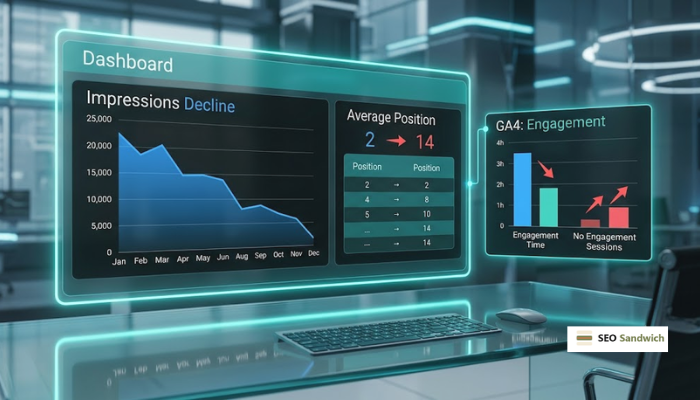
Search Console shows you how Google sees each page’s performance over time, which makes it the first stop in any content audit. To spot a genuine decline, pull up your Performance report, filter by page, and compare the last 6 to 12 months against the period before it.
These are the three metrics worth focusing on:
| Metric | What to Look For |
| Impressions | Steady decline over 6 to 12 months in organic search |
| Average Position | Dropped out of the top 10, or slipping consistently over time |
| Click-Through Rate (CTR) | Falling even when the ranking position stays stable |
Of those three signals, CTR is the one most often misread. A falling click-through rate with a stable average position usually points to your title tag or meta description rather than the content itself. So check both before touching a single paragraph.
GA4 Performance Indicators
Unlike Search Console, which shows how Google sees your page, GA4 shows how real users interact with it after they land. Check these three metrics for each URL over the same time window you used in Search Console.
| Metric | What to Look For |
| Engagement Rate | Below your site average for that content type |
| Average Engagement Time | Short visits relative to the page’s word count |
| Sessions with No Engagement | High volume relative to total sessions on that page |
If the data shows low engagement time and a high share of unengaged sessions, readers are likely leaving before they get what they came for. In most cases, that points to either a content depth problem or an intro that doesn’t deliver on what the title promised.
Spot the Content-Specific Red Flags
Once a page shows up in your data as underperforming, the next job is figuring out what’s causing the decline. In many cases, the problem traces back to outdated information or content that no longer covers the topic, as well as competing pages.
This section explains how to identify both problems and decide what needs to be improved.
Outdated Information or Statistics
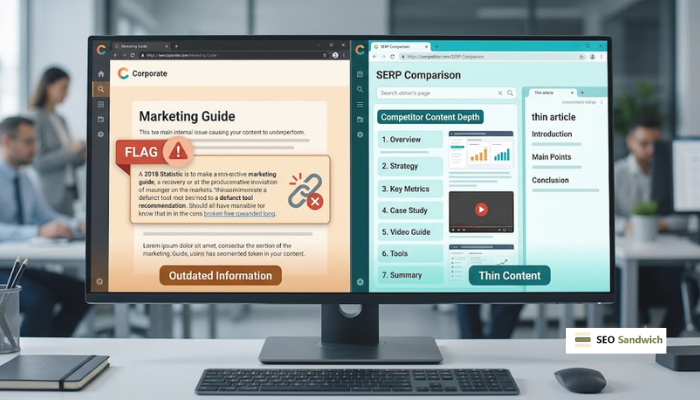
Outdated information is one of the easiest problems to miss during a content review. A statistic from 2021 or a tool recommendation that no longer exists can undermine a page’s credibility with both readers and search engines.
The problem extends beyond reader trust. Search engines also compare content against newer, authoritative sources. If your content contradicts what those sources say, it loses relevance for that query. Even a partially inaccurate article can lose ground to a competitor that simply keeps its content up to date.
The quickest way to find outdated information is to scan your articles for statistics, tool recommendations, and software references that may have changed. Verify older sources, and replace anything that’s no longer accurate before touching the rest of the page.
Thin Content Compared to Competitors
A page can be accurate and still lose ground if competitors have simply covered the topic in more depth.
Say you search your target keyword and check what’s ranking in the top 5 results. If your page covers three subtopics and the top-ranking competitor covers seven, that gap may be costing you rankings. It can happen even when your existing content is well-written.
To find those gaps, compare your page against the top results. Check word count, subtopics covered, and whether competitors have added things like examples, screenshots, or original data. The differences are usually obvious within a few minutes of reading side by side.
And once you’ve identified them, keyword research can help you understand which missing subtopics your audience is actively searching for. Filling those gaps improves search intent alignment and makes the page more competitive without rebuilding it from scratch.
Not Every Underperforming Page Needs a Rewrite
Before rewriting anything, ask yourself whether a refresh is actually the right solution. Some underperforming pages need updated content, while others need consolidation or removal.
Here are the three options to consider:
- Full Refresh: A full content refresh suits pages with declining but recoverable traffic where the core information is still mostly accurate. This usually means updating statistics, expanding thin sections, improving internal links, and tightening the on-page SEO rather than starting over.
- Consolidation: When multiple articles cover the same topic, they can compete against each other and split ranking potential. Combining them into a single, stronger resource and redirecting the old URLs is often more effective than refreshing both separately.
- Removal: Not every underperforming page deserves a spot on your site. If a page generates no traffic, lacks external links, and has limited ranking potential, removing it is often the right call. Keeping low-value pages around can weaken your overall content quality signal.
Choosing the right option upfront can save a lot of time and effort. In many cases, the solution isn’t a rewrite at all. In our experience auditing client content, pages that needed consolidation or removal outnumbered those that genuinely required a full refresh.
Prioritise Which Pages to Update First
Most content audits surface more URLs than you can realistically tackle at once. So the goal is to start with whatever’s most likely to respond quickly, then work outward from there.
Pages ranking between positions 6 and 15 are often the best place to start. These are already visible to Google, relevant to their target keywords, and close to the top positions. A focused refresh can often push them onto page one.
Next, look for pages with high impressions but low click-through rates in Search Console. They’re getting visibility but failing to earn clicks, often because the title tag or meta description needs work rather than the content itself.
Once you’ve worked through those, factor in business value. A page supporting a key service or product deserves priority over a low-converting blog post. This is especially true if the higher-value page only needs a targeted update to get back into contention.
How Often Should You Refresh Your Blog Content
There’s no single schedule that works for every site. A practical starting point is to review your top-performing and highest-value pages every three to six months. A full site-wide audit once or twice a year covers the rest.
That said, the ideal frequency depends on how quickly the topic changes. Content tied to fast-moving areas like software features, pricing, or industry regulations needs more frequent checks. By contrast, a post about how to tie a knot may stay relevant for years, while software comparison content needs regular updates.
Pro Tip: Set a recurring reminder to review your content. It’s more reliable than memory, and it stops you from only noticing a problem once traffic has already dropped.
Make Content Reviews a Regular Habit
You now have a clear way to spot which pages need updating: check the data, look for content-specific red flags, and rule out non-content issues. That process puts you ahead of sites that either ignore ageing content or waste time refreshing content that doesn’t need it.
And if you want a second set of eyes on your content, SEO Sandwich can help. We audit existing content, identify what’s worth refreshing, and help you focus on the pages most likely to recover rankings. Feel free to reach out, and we’ll take a look.