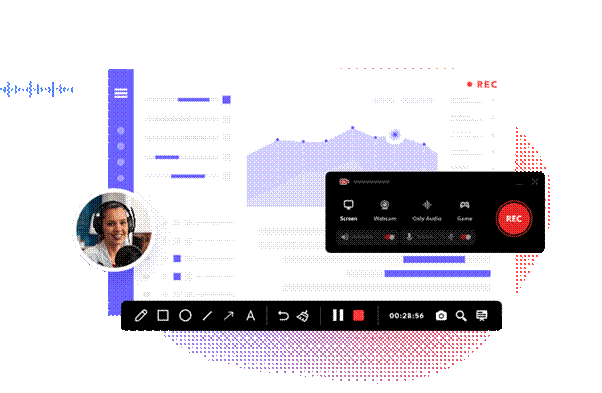
In today’s digital era, video content has become one of the most powerful ways to share information, teach skills, and create online engagement. From tutorials and online classes to gaming videos and business presentations, screen recording tools play a major role in modern content creation. Among these tools, iTop Screen Recorder and other screen recorder applications are widely used by beginners and professionals alike.
These tools make it easy for users to capture everything happening on their computer screen, turning simple activities into high-quality video content that can be shared across different platforms.
The Importance of Screen Recording in the Digital Age
Screen recording has become essential in many areas of online communication. Instead of explaining something through long text or images, users can simply record their screen and demonstrate the process visually.
This is especially useful for:
- Online education and e-learning
- Software tutorials and demonstrations
- Gaming content creation
- Business presentations and training videos
- Technical support and troubleshooting guides
Because of these applications, screen recording tools are now considered essential digital utilities.
What Is a Screen Recorder?
A screen recorder is a software tool that captures everything displayed on a computer or mobile screen. It can record video, audio, and sometimes even webcam input, depending on the features available.
Modern screen recorders are designed to be user-friendly, allowing users to start recording with just a few clicks. Many tools also offer editing features, making it easier to enhance recordings before sharing them.
Common features of a screen recorder include:
- Full-screen or selected area recording
- Audio recording from microphone or system sound
- Webcam overlay for face recording
- Basic editing options like trimming and cutting
- Export options in different video formats
The combination of simplicity and functionality allows screen recording tools to meet the needs of casual users while also providing valuable features for more experienced creators.
What Is iTop Screen Recorder?
iTop Screen Recorder is a popular screen recording tool designed to provide users with a simple and efficient way to capture high-quality videos from their screens. It is widely used by content creators, educators, gamers, and professionals who need reliable recording software.
The tool focuses on ease of use and performance, allowing users to record videos without complex setup or technical knowledge.
Key Features of iTop Screen Recorder
Easy-to-Use Interface
One of the main advantages of iTop Screen Recorder is its simple interface. Users can start recording quickly without needing advanced technical skills.
High-Quality Recording
The software supports high-definition video recording, ensuring clear and professional-looking output.
Flexible Recording Options
Users can choose to record the entire screen, a specific window, or a custom area depending on their needs.
Audio and Webcam Support
iTop Screen Recorder allows users to include system audio, microphone input, and webcam footage, making recordings more interactive and engaging.
Suitable for Different Users
Whether someone is a student, teacher, gamer, or professional, the tool can be used for a variety of purposes.
Its versatility ensures that it can be used effectively by a wide range of users, regardless of their experience level or specific needs.
Benefits of Using Screen Recording Tools
Screen recording tools provide several advantages in both personal and professional environments.
Better Communication
Instead of written explanations, users can visually demonstrate ideas, making communication clearer and more effective.
Time Efficiency
Recording a process is often a quicker and more efficient way to explain information compared to writing detailed instructions or preparing presentations manually.
Content Creation Opportunities
Many creators use screen recordings to produce educational videos, tutorials, and gaming content for online audiences.
Easy Sharing
Recorded videos can be easily shared on social media, websites, or learning platforms.
Learning and Training
Screen recordings are widely used in online learning environments to explain complex topics in a simple visual format.
How Screen Recording Is Used in Different Fields
Education
Teachers and students use screen recording tools to create lectures, presentations, and learning materials.
Business
Companies use screen recordings for training employees, conducting meetings, and demonstrating software tools.
Gaming
Gamers record gameplay to share highlights, tutorials, or live streaming content.
Technical Support
Support teams use screen recordings to explain solutions and troubleshoot problems effectively.
Tips for Better Screen Recording Results
To achieve high-quality recordings, users should follow a few simple tips:
Close Unnecessary Applications
This helps improve system performance during recording.
Use Clear Audio
Good microphone quality ensures better understanding for viewers.
Plan Before Recording
Having a clear idea of what to record helps create more structured content.
Keep Resolution High
Higher resolution settings improve video clarity and professionalism.
The Future of Screen Recording Tools
As technology continues to evolve, screen recording software is becoming more advanced. Future tools are expected to include better AI integration, real-time editing features, cloud storage options, and improved performance optimization.
These advancements will make screen recording even more accessible and powerful for users around the world.
Conclusion
Screen recording has become an essential part of digital communication and content creation. Tools like iTop Screen Recorder and other screen recorder applications provide users with simple and effective ways to capture, share, and create video content.
Whether for education, business, gaming, or personal use, these tools offer practical solutions for producing high-quality recordings without requiring advanced technical skills. As technology continues to improve, screen recording will remain a key tool in the digital content ecosystem.
Visit For More Info: Cast Magazine